
Download Shadowing AI – Interview Practice, Resume Scorecard & Mock Interview Tool
Overview
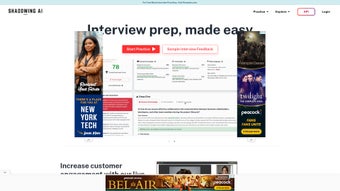
Shadowing AI is a web‑based interview‑training platform that turns the anxiety of real‑world interviews into a structured, confidence‑building experience. Designed for job seekers, university applicants, and visa candidates, the tool creates realistic mock interview sessions that mimic the pacing, question style, and pressure of actual hiring panels. Users can select from a vast, dynamically updated question bank covering technical, behavioral, and situational topics, then engage in live or recorded practice runs. After each session, Shadowing AI delivers actionable feedback, pinpointing strengths such as clear articulation, body language, and content relevance, while highlighting areas for improvement like filler usage, response length, or depth of examples. In addition to interview simulation, the platform includes a “Resume Scorecard” that automatically analyses uploaded resumes, scoring them against industry‑standard criteria and offering concrete suggestions for layout, keyword optimization, and achievement quantification. By combining mock interviews, AI‑driven feedback, and resume diagnostics, Shadowing AI equips users with a comprehensive preparation toolkit that raises interview confidence, sharpens communication skills, and ultimately boosts the likelihood of landing the desired opportunity.
Key Features & Benefits
- Dynamic Mock Interview Engine – Generates realistic interview scenarios with adaptive questioning based on user‑selected role, industry, and difficulty level.
- AI‑Powered Feedback Loop – Analyzes voice tone, pacing, keyword usage, and body language (via webcam) to produce a detailed performance report.
- Extensive Question Bank – Over 5,000 curated questions spanning technical, behavioral, case‑study, and visa‑specific formats, refreshed monthly.
- Resume Scorecard – Upload your CV and receive a quantified score, with specific recommendations for formatting, ATS compatibility, and impact statements.
- Progress Dashboard – Track improvement over time with visual charts that compare scores across sessions, highlighting trends and growth areas.
- Customizable Interview Paths – Build tailored interview tracks for specific job titles, academic programs, or immigration interviews.
- Secure Cloud Storage – All recordings and resume analyses are encrypted and stored securely, ensuring privacy and compliance with GDPR.
- Multi‑Device Access – Fully responsive web app works on Windows, macOS, Android, and iOS browsers, allowing practice on any device.
- Instant Shareable Reports – Export feedback PDFs or share a secure link with mentors, coaches, or recruiters for collaborative review.
- Regular Updates & Community Support – Receive new question sets, AI model improvements, and access to a user forum for peer tips.
These features translate into tangible benefits for users. The adaptive interview engine ensures that practice remains challenging and relevant, preventing the plateau effect common with static question lists. AI feedback replaces costly professional coaching with instant, data‑driven insights, while the resume scorecard bridges the often‑overlooked gap between interview performance and application quality. By visualizing progress, users stay motivated, and the secure, multi‑device design guarantees that preparation can happen anytime, anywhere—whether you’re polishing answers on a laptop at home or rehearsing on a mobile during a commute. In short, Shadowing AI offers a holistic, affordable alternative to traditional interview prep services, empowering users to present their best selves when the moment arrives.
Installation, Compatibility & How to Use
Shadowing AI is a cloud‑native solution, which means there is no heavy software download or local installation required. Users simply create an account on the official website, verify their email, and gain immediate access to the dashboard. The platform runs on modern browsers that support HTML5, WebRTC, and JavaScript ES6, ensuring smooth video capture and real‑time AI analysis.
Step‑by‑Step Setup
- Visit the Official Site – Navigate to shadowingai.com and click “Sign Up”.
- Create Your Profile – Fill in basic details (name, career focus, preferred interview language) and set a secure password.
- Verify Email – Check your inbox for a verification link; clicking it activates your account.
- Upload Your Resume – Use the “Resume Scorecard” tab to upload a PDF or DOCX file; the AI will instantly generate a score.
- Select an Interview Path – Choose a pre‑built interview track (e.g., “Software Engineer – Mid‑Level”) or customize your own.
- Enable Camera & Microphone – Grant browser permissions; Shadowing AI uses WebRTC to capture video and audio for analysis.
- Start the Mock Interview – Press “Begin Session” and respond to questions as they appear. You can pause, replay, or skip if needed.
- Review Feedback – After the session, a detailed report appears, highlighting vocal cadence, keyword density, and body language metrics.
- Iterate & Track Progress – Save the session, compare with previous attempts on the dashboard, and repeat until you reach your target score.
Because Shadowing AI runs entirely in the browser, it is compatible with Windows 10/11, macOS 12+, Chrome, Edge, Firefox, Safari, as well as mobile browsers on Android 10+ and iOS 13+. The platform automatically detects the operating system and adjusts video resolution for optimal performance, ensuring a consistent experience across devices.
For users who prefer a desktop‑like environment, Shadowing AI also offers a lightweight Progressive Web App (PWA) that can be “installed” from the browser. The PWA creates a dedicated icon on your desktop or home screen, launches the app in a standalone window, and retains offline caching of static assets—though live AI analysis still requires an internet connection.
Overall, the installation process is frictionless, and the cross‑platform compatibility eliminates the need for multiple downloads or version‑specific troubleshooting, making Shadowing AI an accessible tool for anyone serious about interview preparation.
Pros, Cons & Frequently Asked Questions
Pros
- Real‑time AI feedback that mimics professional coaching.
- Comprehensive resume analysis in a single platform.
- Extensive, regularly updated question bank covering diverse industries.
- Cross‑device compatibility – works on Windows, macOS, Android, iOS.
- No bulky downloads; instant access via web browser.
- Secure, GDPR‑compliant data handling and encrypted storage.
- Progress tracking dashboard with visual performance trends.
- Exportable PDF reports for sharing with mentors or recruiters.
Cons
- Requires a stable internet connection for AI analysis.
- Advanced AI features (e.g., body‑language detection) work best with a webcam of at least 720p.
- Free tier limits the number of mock interviews per month.
- Some niche industry questions may still be underrepresented.
Frequently Asked Questions
Is Shadowing AI completely free?
Shadowing AI offers a free tier that includes three mock interviews and one resume scorecard per month. For unlimited practice, advanced AI analytics, and premium question packs, users can upgrade to the Pro plan ($14.99/month or $149/year).
Can I use Shadowing AI on a mobile device?
Yes. The platform is fully responsive and works on Android and iOS browsers. For the best experience, use a device with a front‑facing camera of at least 720p and a stable internet connection.
How secure is my data and interview recordings?
All data is encrypted in transit (TLS 1.3) and at rest (AES‑256). Recordings are stored for 30 days unless you choose to delete them earlier. Shadowing AI complies with GDPR and CCPA standards.
What types of interviews does the question bank cover?
The question bank includes technical (coding, engineering, data science), behavioral (STAR method), case‑study, situational, and visa‑related interview questions. New sets are added monthly based on industry trends.
Do I need a webcam for the AI feedback?
A webcam is recommended for full‑body language analysis, but the core verbal feedback works with microphone‑only input. If you lack a webcam, you can still practice the Q&A portion and receive voice‑based insights.
Review Summary: Shadowing AI stands out as a comprehensive interview preparation platform that blends realistic mock sessions with AI‑driven feedback and resume analytics. The free tier provides enough functionality for casual users, while the Pro subscription unlocks deeper insights and unlimited practice. Minor drawbacks such as internet dependency and occasional niche question gaps are outweighed by the overall value, making it a top recommendation for job seekers and students alike.
Conclusion & Call to Action
In a competitive job market, the difference between landing an offer and missing out often comes down to how well you articulate your experience under pressure. Shadowing AI bridges that gap by delivering a polished, data‑backed rehearsal environment that mimics real interview dynamics without the cost of a personal coach. Its integrated resume scorecard ensures that your written application aligns with your verbal performance, creating a cohesive personal brand that resonates with recruiters.
Whether you’re preparing for a technical interview at a Silicon Valley startup, a university admission panel, or a visa consular interview, the platform’s adaptable question paths and multilingual support keep you ready for any scenario. The secure, cloud‑based architecture eliminates hardware constraints, while the progress dashboard fuels continuous improvement through measurable metrics.
Ready to boost your confidence and increase your interview success rate? Sign up for a free account today and experience the first three mock interviews on us. Upgrade to the Pro plan whenever you feel the need for unlimited practice, advanced AI analytics, and premium question packs. Take control of your interview destiny—download Shadowing AI now and step into every interview room fully prepared.



.png)



